Frequently Asked Questions
Q1: What wattage charger do I need for my HP laptop?
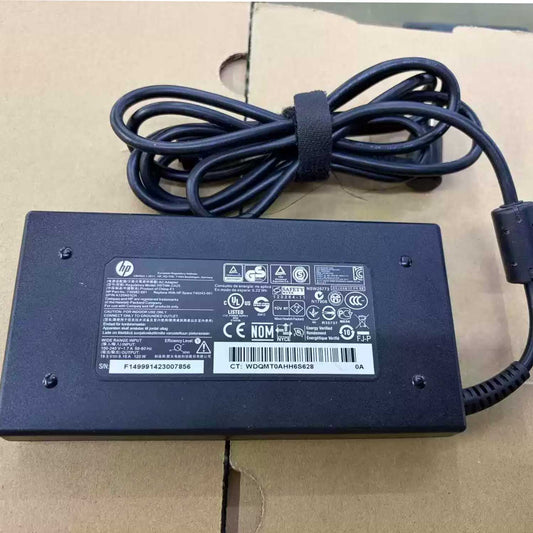
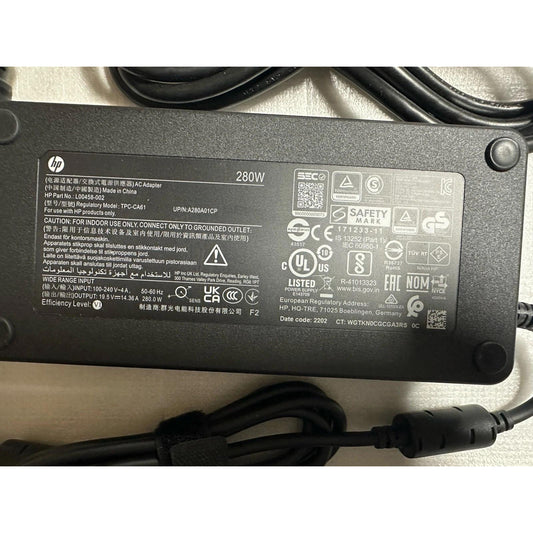
Most HP Pavilion, Envy, and Spectre use 45W–65W. EliteBook and ProBook use 65W. ZBook and gaming laptops need 90W–230W. The HP Engage One Pro AIO requires 280W (TPC-CA61). Always check your original charger label for the exact output specs — voltage must match (19.5V for most HP models), while wattage can be equal or higher.
Q2: Can I use a higher wattage charger on my HP laptop?
Yes. A higher-wattage HP charger (e.g., 90W) can safely power a lower-wattage laptop (e.g., 65W). The laptop only draws the current it needs, and HP Smart Pin technology automatically regulates output. For example, a 90W charger connected to a 65W laptop only delivers 65W — the extra capacity simply means the charger runs cooler and lasts longer.
Q3: Can I use a 65W charger instead of 90W on my HP laptop?
Not recommended. A 65W charger on a 90W laptop will result in slow charging, battery drain during heavy use, or a "low-power charger connected" warning from HP. If you must use it temporarily for light tasks (web browsing, email), it will charge slowly. But for full performance — especially with discrete graphics or heavy applications — always match or exceed the original wattage.
Q4: What is the blue tip on an HP charger and how does the Smart Pin work?
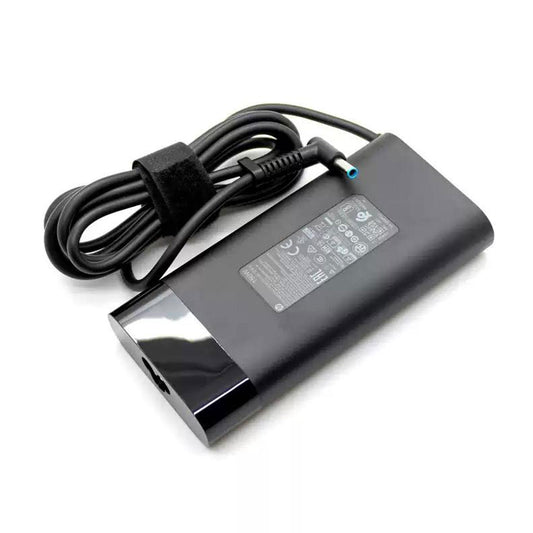
The blue tip is HP's 4.5mm × 3.0mm barrel connector found on most Pavilion, Envy, EliteBook, and ProBook laptops. Inside the barrel, a center Smart Pin communicates wattage and authenticity between the charger and laptop, regulating power safely. This is why cheap third-party chargers often trigger a "plugged in, not charging" message — they lack the proper pin logic. All our compatible chargers include a functioning HP Smart Pin.
Q5: What is the difference between an HP blue tip charger and a USB-C charger?
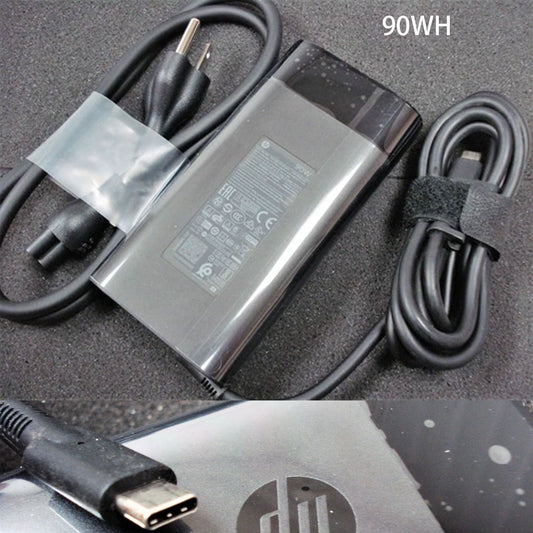
Blue tip (barrel) uses a fixed 19.5V round plug with HP's proprietary Smart Pin. It's found on most pre-2020 HP business and consumer laptops. USB-C PD uses a reversible oval connector with intelligent voltage negotiation (5V–20V) and is found on newer Spectre, Envy x360, and Pavilion models (2019+). USB-C is universal — it can also charge phones and tablets — while the blue tip is HP-specific. The biggest practical difference: a USB-C charger cannot plug into a barrel port, and vice versa.
Q6: How do I know if my HP laptop needs a USB-C charger or a barrel charger?
Look at your laptop's charging port: A round hole (4.5mm or 7.4mm diameter) means you need a traditional barrel charger. An oval-shaped USB-C port that supports charging — often marked with a battery or lightning bolt icon next to it — means you need a USB-C PD charger. Some newer HP models (especially EliteBook G8+ and Envy x360) support both ports. Check your original charger or the laptop's bottom label to confirm.
Q7: Why is my HP laptop plugged in but not charging?
This is one of the most common HP laptop issues. The top causes are: (1) Third-party charger without proper Smart Pin communication — the laptop detects an unrecognized adapter and refuses to charge; (2) Charger wattage too low — e.g., using a 45W charger on a 65W laptop; (3) Physical damage to the cable, connector tip, or laptop DC port; (4) Battery driver issue — can often be fixed by running HP Support Assistant or performing a hard reset (hold power button for 15 seconds). Our chargers include proper Smart Pin logic and are fully recognized by all HP laptops.
Q8: Are all HP laptop chargers interchangeable?
No. HP chargers differ by three factors: (1) Connector type — 4.5mm blue tip, 7.4mm black tip, or USB-C; (2) Wattage — 45W, 65W, 90W, 150W, 280W, etc.; and (3) Smart Pin communication. A charger may physically fit but be electrically wrong. Always match: voltage (19.5V for nearly all modern HP laptops), connector size, and ensure the wattage meets or exceeds your laptop's requirement. Also, never cross brands — a Dell 7.4mm plug is not the same as an HP 7.4mm plug.
Q9: How do I find the right HP charger for my laptop model?
Step 1: Check your original charger label — note the output (e.g., 19.5V ⎓ 3.33A = 65W) and HP part number (e.g., 710413-001, TPN-DA10). Step 2: Identify the connector — blue tip (4.5mm), black tip (7.4mm), or USB-C. Step 3: Find your laptop model — check the bottom label or press Fn + Esc to open the HP System Information window. Step 4: Match these specs with our chargers, or contact us with your laptop model — we'll find the exact right adapter for you.
Q10: Does using a higher wattage charger damage my HP laptop battery?
No, it does not. A higher-wattage HP charger will not damage your laptop or battery. The laptop only draws the current it needs — a 90W charger connected to a 65W laptop only delivers 65W. HP's Smart Pin technology regulates power delivery safely, and the extra capacity simply means the charger runs cooler and has more headroom. The only risk is using a lower-wattage charger, which may cause slow charging or battery drain under load.
Q11: How much does a replacement HP laptop charger cost?
From $49.99 for standard 65W/90W HP chargers to $89.99 for the 280W TPC-CA61 charger for HP Engage One Pro AIO. All include free shipping, same-business-day dispatch, and a 12-month warranty — typically 50–70% less than HP's official pricing. Both genuine HP OEM and high-quality compatible options are available.